
Launch, manage, and optimize your Sponsored Products campaigns with no expertise required.
Try Autopilot for free for 30 days.
By invite only, see full terms and conditions* below

.png)
4.8/5 on G2 | 4.6 /5 on Trustpilot
Launch, manage, and optimize your Sponsored Products campaigns with no expertise required.
Try Autopilot for free for 30 days.
By invite only, see full terms and conditions* below


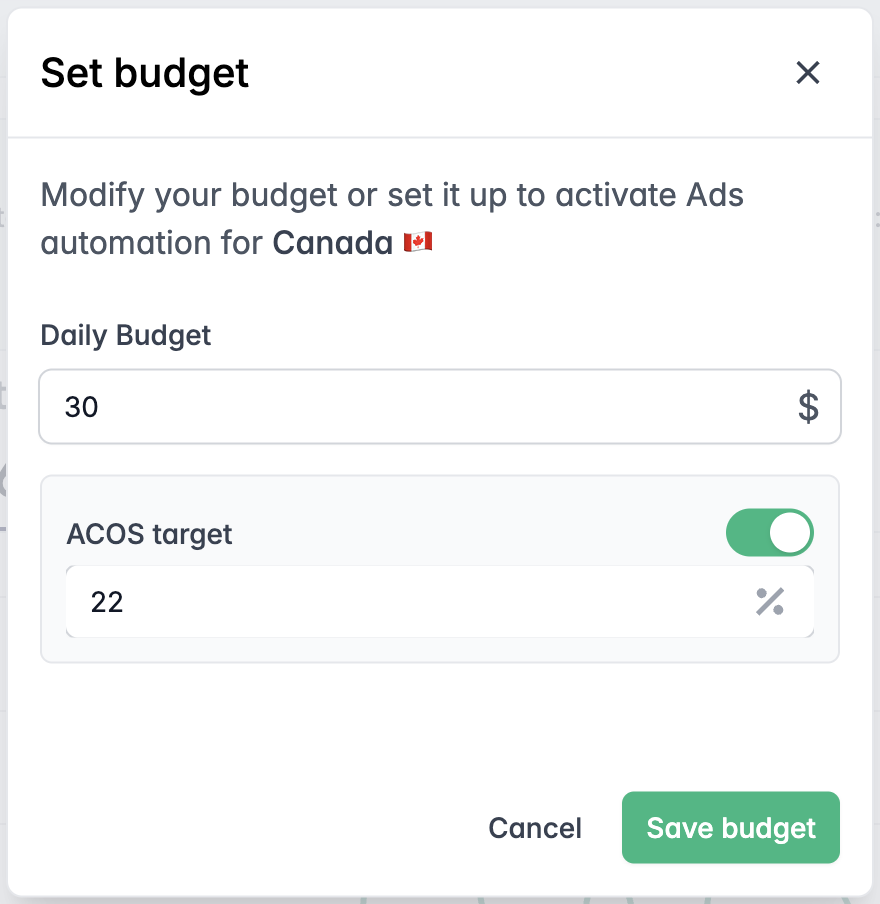
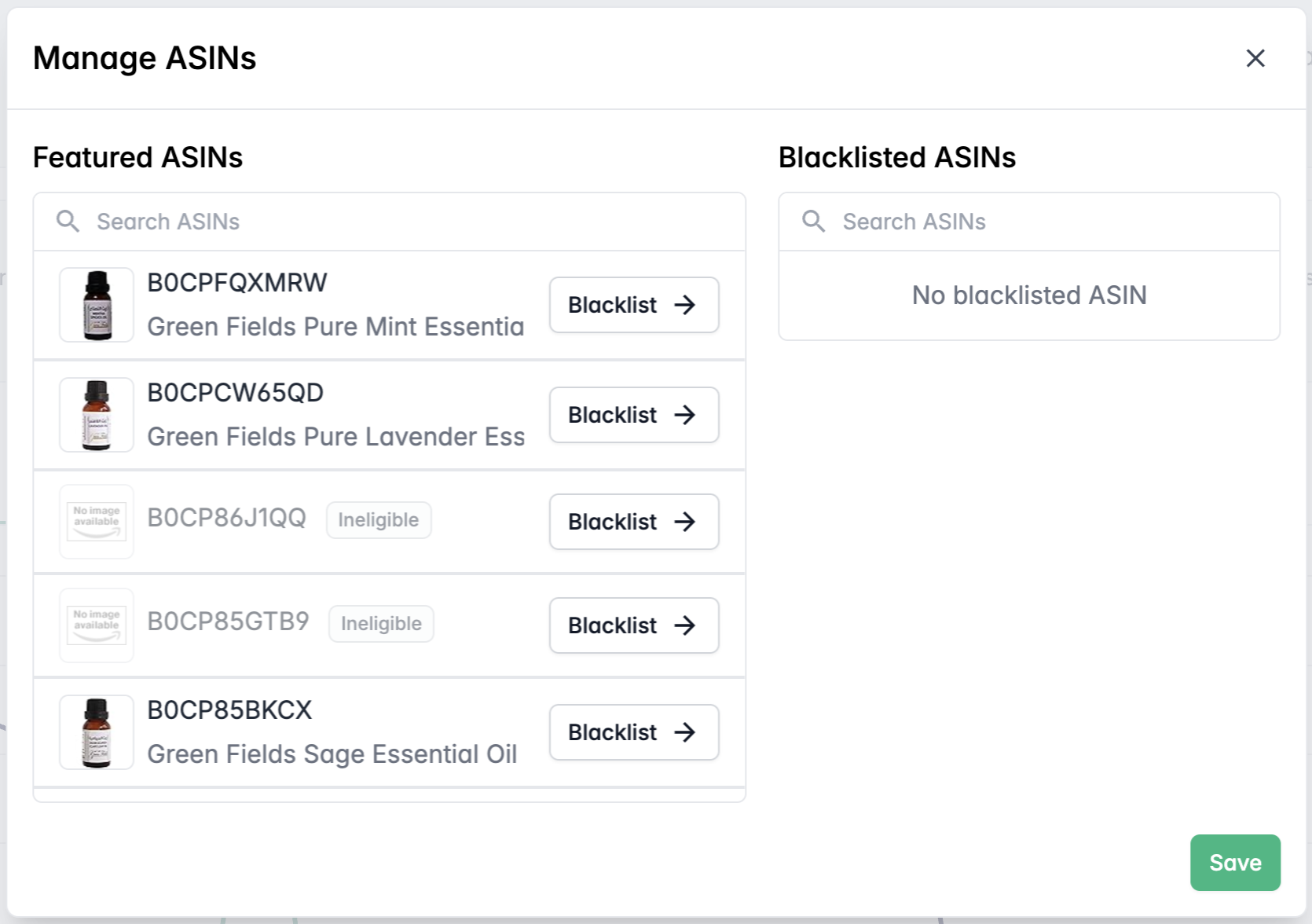
Launch your Amazon Ads in just a few clicks with m19 Autopilot. Connect your Amazon account, select the products you want to promote and give the algorithm a budget. And you're all set up!
The AI will then take the lead, and run your campaigns based on your business strategy inputs.
Autopilot can help you see results: the Autopilot AI takes all the decisions for you, and it is definitely an expert in Amazon Ads. We have trained the AI for years and years now -trust us, it knows what to do better.
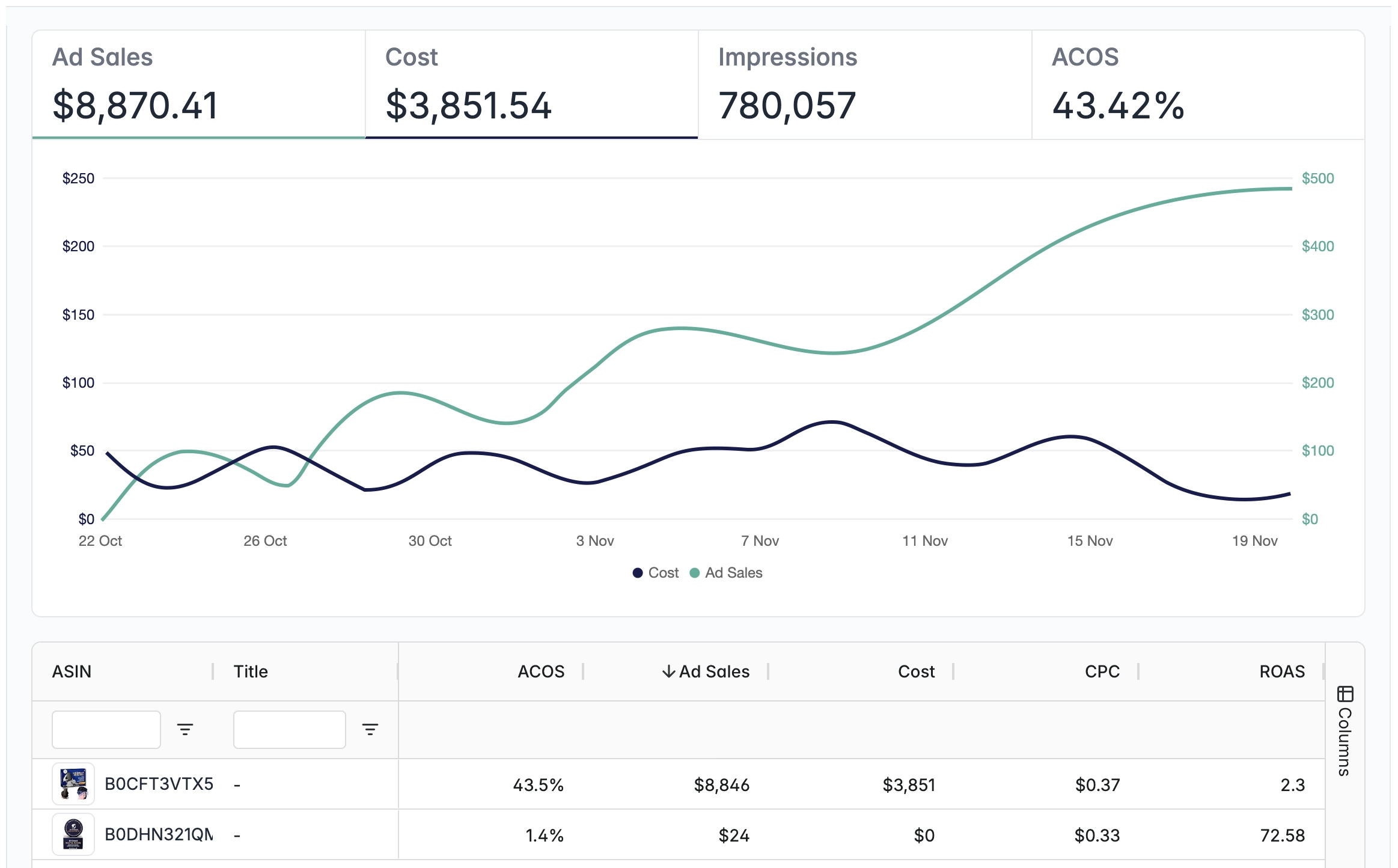
Autopilot's dashboard provides just the right amount of information you need to assess whether your advertising is a success -or not.
You will have a comprehensive view of the overall performance, and the detailed performance by ASIN.
Amazon Ads automation has never been so simple.
Follow the steps to start in a few clicks.


A quick form to fill


So we can retrieve your products


And give the AI an ACOS target if necessary
The AI will run campaigns according to your budget and ACOS target.


With Autopilot's comprehensive dashboard
Ad Sales, Costs, Impressions, ACOS: Autopilot shows you the most relevant data, so you can assess whether you are happy with the performance or not.
Note: Although Autopilot won’t change your existing campaigns, we highly recommend pausing your Sponsored Products campaigns the day after activating Autopilot. Running both simultaneously can cause overlapping targeting and limit Autopilot’s optimization.
Questions? Our FAQs might have what you need!
Autopilot requires that you’ve created at least one campaign through the Amazon Advertising Console. Simply create a campaign (which you can pause immediately), and you’ll be able to activate Autopilot within 10 hours.
Yes! After setting your budget, you can also add an ACOS target. Keep in mind that Autopilot will stop spending if it determines your target isn’t achievable.
Absolutely. You can choose which ASINs to promote by selecting them under “Managed ASINs.”
We recommend waiting 2-3 days between changes. This gives Autopilot enough time to adjust to your new targets.
Although Autopilot won’t change your existing campaigns, we highly recommend pausing your Sponsored Products campaigns the day after activating Autopilot. Running both simultaneously can cause overlapping targeting and limit Autopilot’s optimization.
Every campaign created by m19 Autopilot will have “m19 autopilot” in its name.
The use of Autopilot by m19 will be charged a fixed fee of $59 monthly.
Of course, you can stop your campaigns at any time if you are not satisfied, there is no commitment.
Can’t find the answer you’re looking for? Reach out to our customer success team.
.png)
m19 has developed an easy-to-use software and a full-time service for you to manage your Amazon ads.
Grow your profit, save massive time, we are committed to helping you win on Amazon ads.
Stay up to date and accelerate your business with tips and the latest Amazon news.