.png)
Client Access
A standalone automated ads tool, separate from the m19's Professional platform. Launch, manage, and optimize your Sponsored Products campaigns with no expertise required.









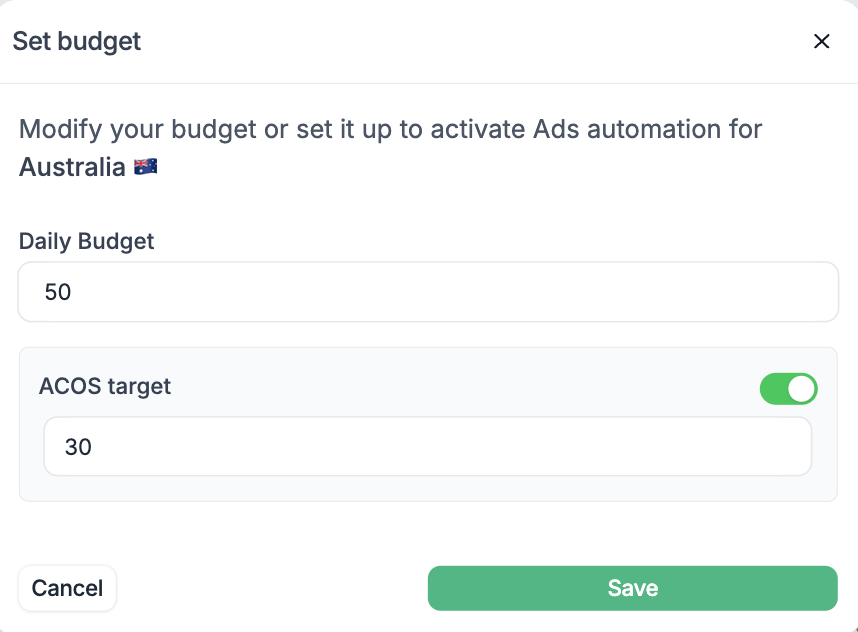
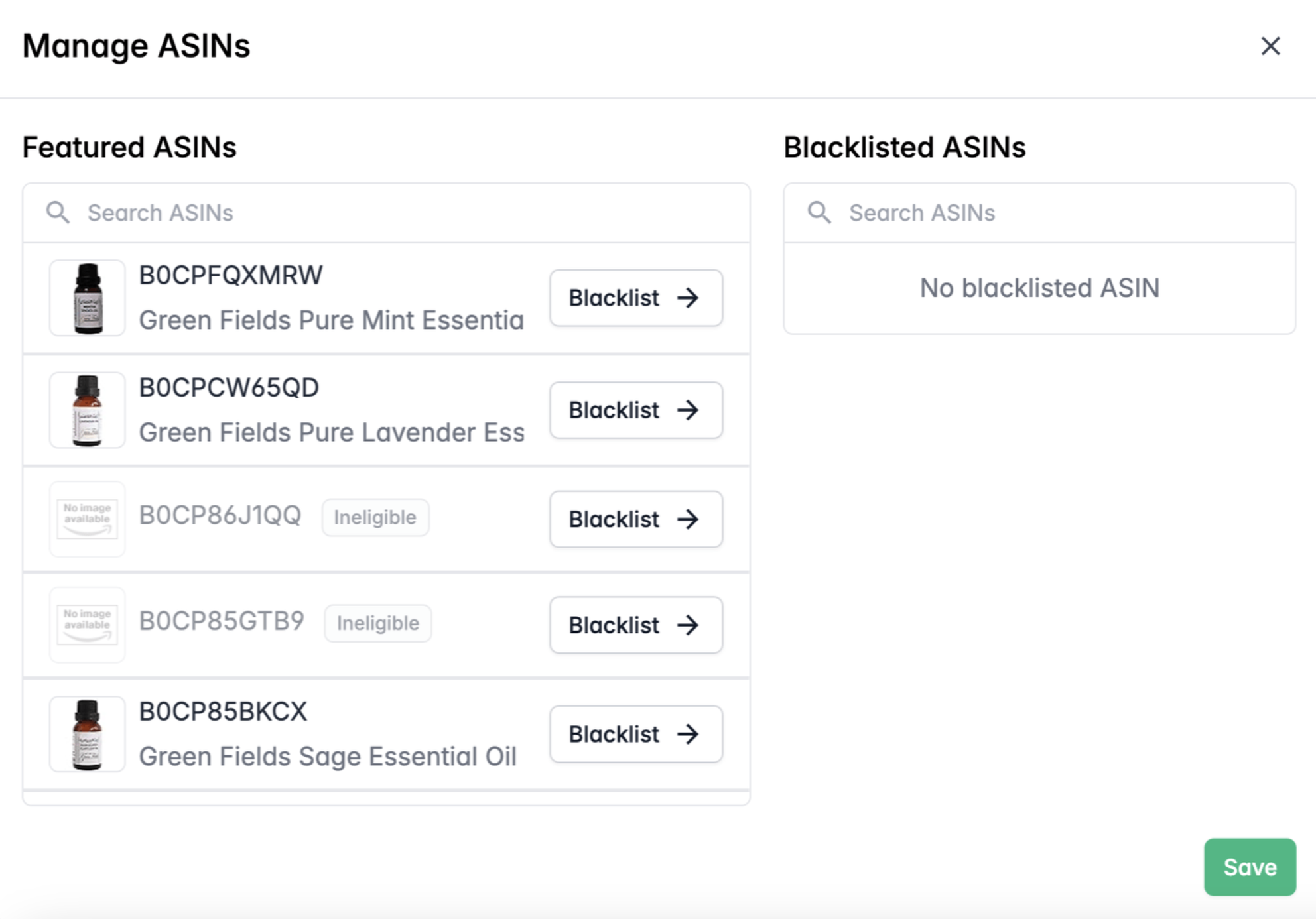
Launch your Amazon Ads in just a few clicks with m19 Autopilot. Connect your Amazon account, select the products you want to promote and give the algorithm a budget. And you're all set up!
The AI will then take the lead, and run your campaigns based on your business strategy inputs.
Autopilot can help you see results: the Autopilot AI takes all the decisions for you, and it is definitely an expert in Amazon Ads. We have trained the AI for years and years now - trust us, it knows what to do better.
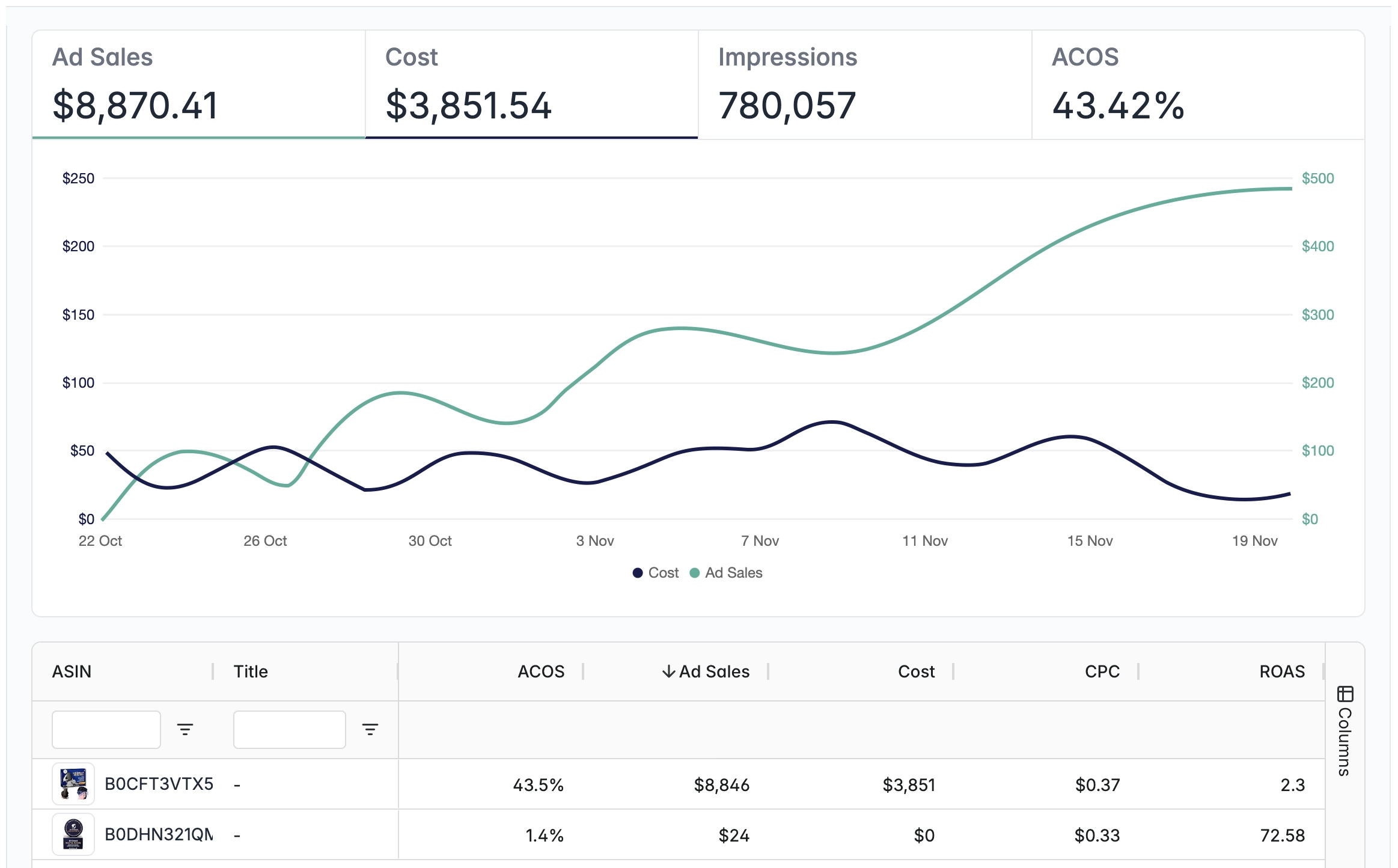
Autopilot's dashboard provides just the right amount of information you need to assess whether your advertising is a success -or not.
You will have a comprehensive view of the overall performance, and the detailed performance by ASIN.
To give Autopilot enough space to perform, we recommend pausing your Sponsored Products campaigns the day after activation.
This avoids overlapping targeting and gives Autopilot the freedom to fully optimize your advertising performance.

A quick form to fill

So we can retrieve your products

The AI will run campaigns according to your budget and ACOS target.
*ACOS — Advertising Cost of Sales: how much you spend on advertising for every dollar in ad sales.

Ad Sales, Costs, Impressions, ACOS: Autopilot shows you the most relevant data.
Watch this tutorial step by step to learn how to set up your ads in Autopilot.

on Campaign Management
Ad spend managed
Free trial
Can't find what you're looking for? Reach out and we'll walk you through it.
m19 offers easy-to-use software and a dedicated service for you to manage your Amazon ads.
Grow your profit, save massive time, we are committed to helping you win on Amazon ads.
Stay up to date and accelerate your business with tips and the latest Amazon news.