
Client Access
Most Amazon sellers are comfortable with Sponsored Ads. It works like their business does: a shopper searches, clicks, buys, and you can see the link between spend and sales.
Amazon DSP video changes that logic. Sponsored Ads capture demand that already exists at the bottom of the funnel. DSP video creates demand higher up, before the shopper has typed a search. Targeting is based on audiences rather than keywords, you pay per thousand impressions (CPM) rather than per click, and the payoff shows up later and less directly.
This guide is based on our recent webinar with Amazon Ads. In this guide:
Amazon DSP reaches shoppers well beyond search results. Its inventory falls into two groups.
Amazon-owned properties. The Amazon store and app, Alexa, Twitch, IMDb, Fire TV and Prime Video. Prime Video, Fire TV and Twitch are the premium video placements most brands think of first.
Third-party inventory. Amazon DSP also reaches viewers on popular streaming services such as Netflix, Disney+ and Spotify, local broadcasters like Sky in the UK and TF1 and M6 in France, and many other websites and apps.
What makes this inventory different from a classic TV or video buy is the data behind it. Amazon can use what it knows about shoppers, such as what they browse and buy, to decide who sees your ad, even when that ad plays on a TV screen rather than on Amazon itself.
The most common mistake is starting with "I want to be on Prime Video". Start with the goal instead. In m19, every DSP strategy begins by choosing one of three funnels, and each one optimizes for something different.
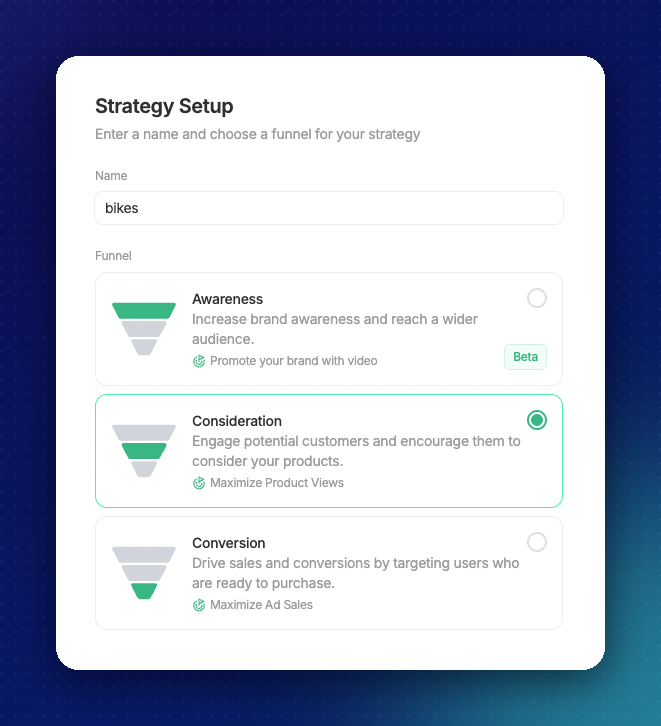
Video is not limited to awareness. A Consideration or Conversion strategy can use a video creative too. Fire TV, Streaming TV and Prime Video, however, are reserved for Awareness.
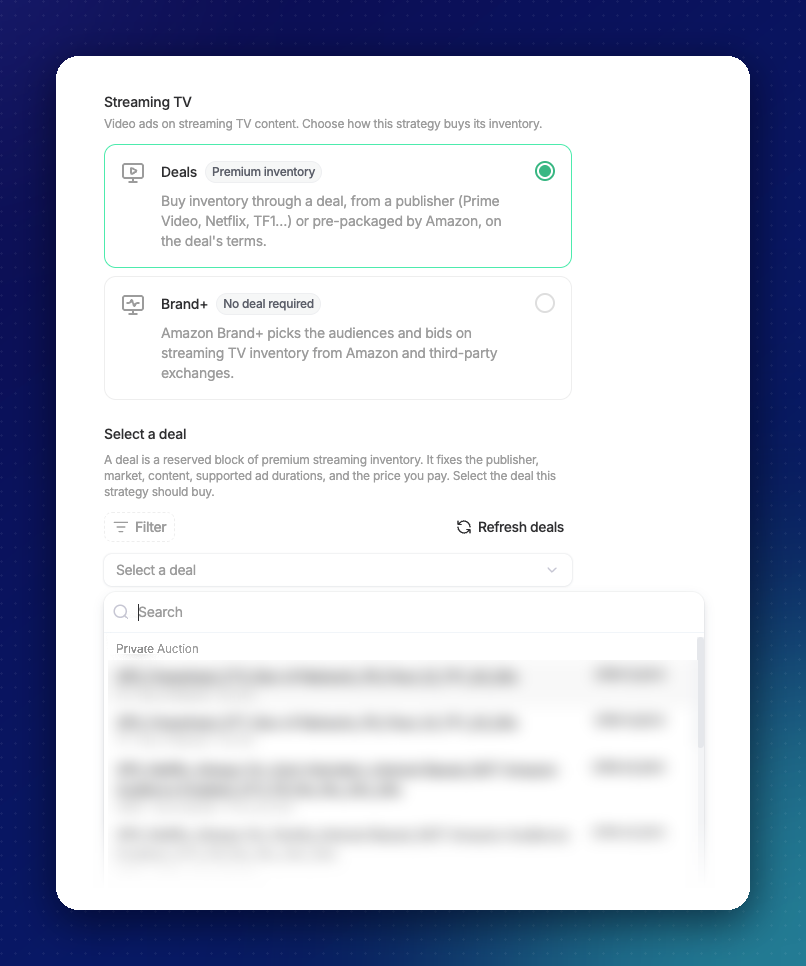
With Awareness, your video runs on streaming TV, and m19 asks how you want to buy that inventory. There are two options, and they work very differently.
Deals give you premium content. In m19, you choose from deals packaged by Amazon or offered by publishers such as Prime Video, Netflix and TF1, and a deal you have arranged with your Amazon account manager shows up there too. Each deal fixes the publisher, the market, the content, the accepted video lengths and the price. Prime Video deals are available in major marketplaces across North America, Latin America, Europe and Australia.
Not sure which deal to pick? Deals mainly differ in how much is fixed upfront. A guaranteed deal locks in the price, the volume and the dates. A preferred deal fixes the price, with no volume commitment. A private auction is invitation-only, and you bid above a minimum price. In m19, each deal shows its content, accepted video lengths and price, and your Amazon account manager can help you choose the one that best fits your goal and budget.
You don't need to master the Amazon DSP console. In m19, you choose your goal, your budget, your video and the products you want to support. m19 then builds the campaign and keeps adjusting it every day.
For sales-focused strategies, you can start from ready-made audiences: shoppers who viewed your product but didn't buy, cart abandoners, lapsed buyers, shoppers browsing similar products, and more.
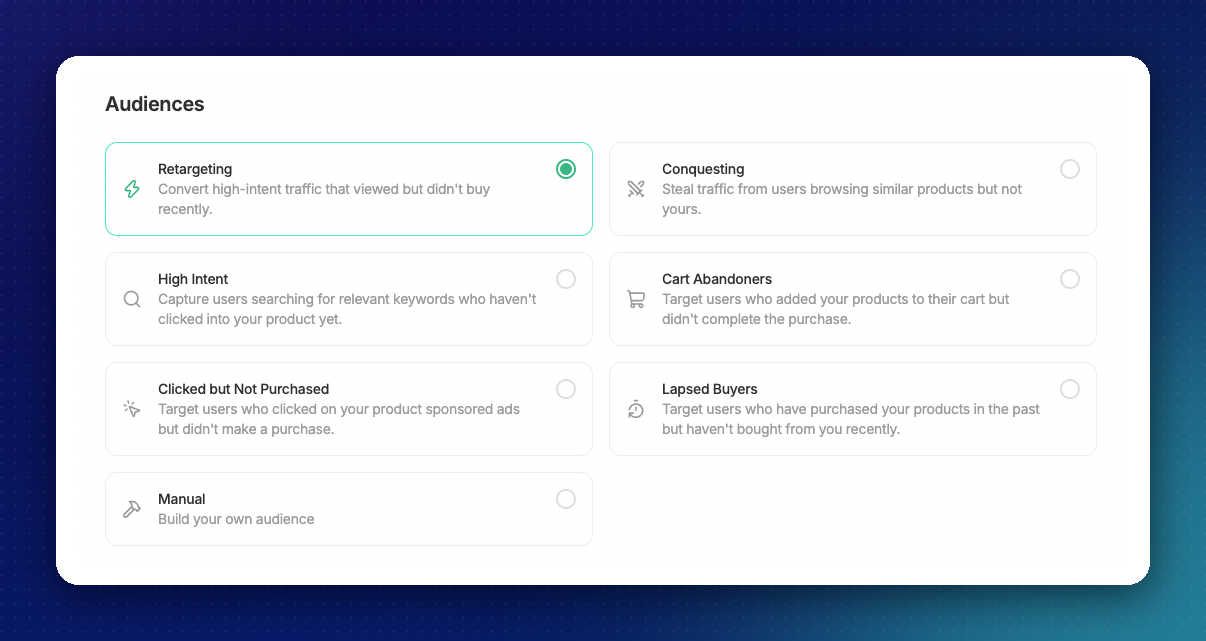
You stay in control. Audiences, video, products and budget can all be changed after launch, and you can block specific websites or apps that don't fit your brand.
With an awareness video, the products you add don't appear in the ad. They are used to track the sales your video influences.
Once your strategy is live, m19 takes care of the day-to-day work.
For sales and traffic goals, m19 estimates how much each ad placement is likely to bring and bids accordingly, so your budget goes where it is most likely to pay off. It also spreads your monthly budget across the month, catching up if spending starts slowly.
Awareness works differently. Amazon optimizes for reach and spreads your total budget evenly between your start and end dates. When the campaign ends, the strategy pauses by itself, ready for the next event.
One mindset shift: DSP has no ACOS or TACOS target. You set a budget, and m19 spends it as efficiently as possible for your chosen goal.
The hardest part of moving upstream is knowing whether it works. Judging video the way you judge a Sponsored Products campaign will mislead you. Here is how to read the results instead.
Start with TACOS. In m19, TACOS (total advertising cost of sales) combines your Sponsored Ads and DSP spend against your total Amazon sales. It is the first bridge between the two worlds: the question is not "is my video profitable on its own?" but "how does my total ad investment, DSP included, relate to my total sales?" Dashboard > Advertising also shows SP, SB, SD and DSP side by side.
Don't compare DSP ACOS with Sponsored Products ACOS. DSP credits a sale after a view of the ad, not only a click, and tracks your whole catalog over 14 days. That is why even an Awareness video with no product on screen shows ad sales. The two ACOS figures are built differently, so they aren't comparable.
Check how people watch. m19 shows how far viewers get through your video, how many impressions were actually seen, and how many sales came from shoppers new to your brand.
Use AMC to connect the funnel. m19's Amazon Marketing Cloud integration powers monthly reports, including:
Go deeper with strategy analyses. For one or several DSP strategies, m19 can run AMC analyses such as how purchase rate changes with the number of impressions, how many days pass between first impression and purchase, which of your other ads buyers saw before buying, and how shoppers move from impression to purchase.
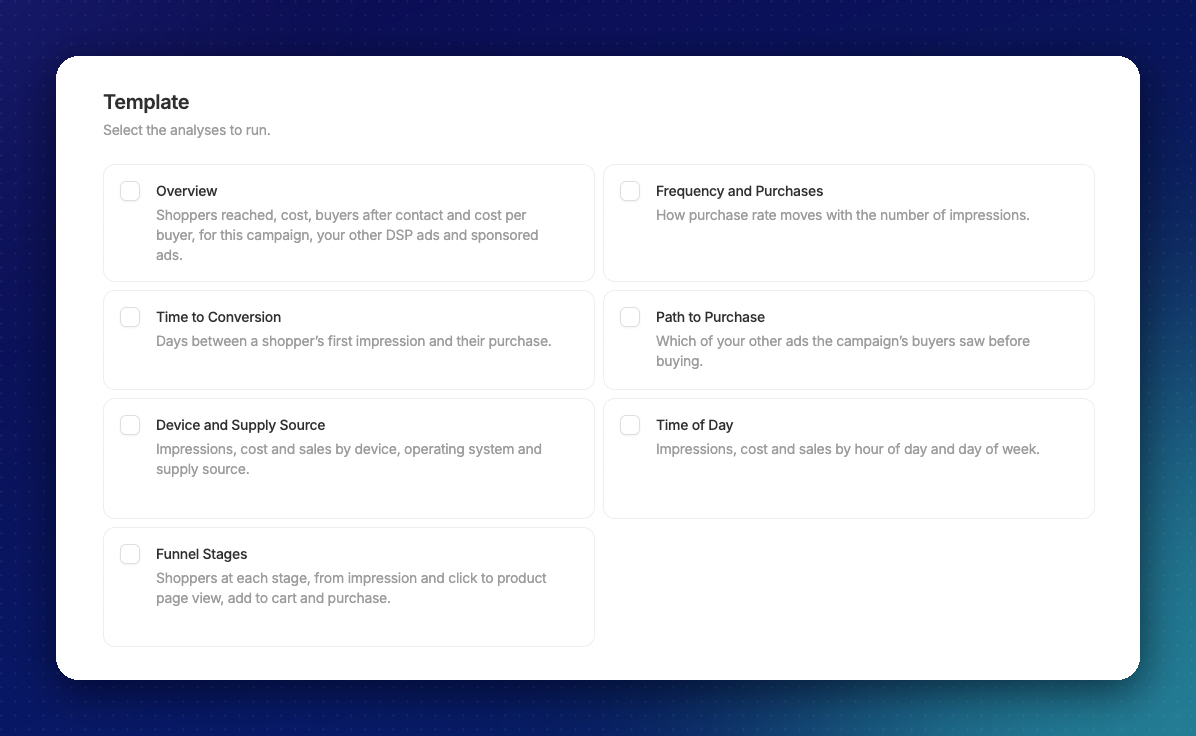
m19 sets no minimum DSP budget. Still, video only makes an impact when enough people see it, enough times. Here is what we recommend for a first test:
If DSP still feels like a big jump, retargeting is the gentlest way in. It is the closest to Sponsored Ads logic, and Display needs no creative at all: Amazon builds the banner from your product page.
DSP is available on m19 Professional and included in the 30-day free trial for new subscribers, alongside Sponsored Ads. You can run it with or without active Sponsored Ads campaigns, and next to an existing agency DSP seat. To give the algorithm enough data to learn, the trial requires at least €5k in ad spend during the trial period.
Book a call with our team to see how DSP video works in m19.
Want the full session? Watch the webinar replay
Stay up to date and accelerate your business with tips and the latest Amazon news.
m19 offers easy-to-use software and a dedicated service for you to manage your Amazon ads.
Grow your profit, save massive time, we are committed to helping you win on Amazon ads.
Stay up to date and accelerate your business with tips and the latest Amazon news.